
On-page SEO mistakes are flaws in the content and code of a single page. They’re rarely advanced technical failures: more often they’re small oversights repeated across dozens of pages, keeping a site far from Google’s first page. They’re quick to fix, often in a single afternoon.
The ten mistakes and how to fix them
- Generic or duplicate titles Titles like “Home” or “Product 1”, or the same title on several pages. Every page needs a unique title tag that says what it contains, usually within about 60 characters.
- Missing meta description If you don’t write one, Google builds it from the page text, almost always less effective. Two lines written on purpose, usually between 120 and 160 characters, encourage the click.
- Missing or multiple H1 A page should have a single H1 that sums up its topic, followed by H2 and H3 in order. It’s also the structure screen readers follow.
- Images without alt text The
altattribute describes the image to people who can’t see it and helps Google understand it. Leaving it empty wastes a free signal. - Thin content Two lines of description give Google little to evaluate. You don’t need to pad it: you need content that’s useful to readers.
- Few internal links Links between pages help readers discover more content and help Google understand which pages matter. Use link text that describes the destination page.
- Unreadable URLs An address like
yoursite.com/product?id=48291tells readers little;yoursite.com/mens-running-shoestells them right away what the page is about. - Keyword missing from the title Sometimes a page never names its main topic, not even in the title. Use it where it’s natural: title, first paragraph, a few subheadings.
- Duplicate content The same description repeated across color or size variants forces Google to choose which one to show. Consolidate the pages or point to the main version with a
canonicaltag. - Content never updated It isn’t a ranking trick, but an article with outdated information loses readers’ trust. Review your most visited pages periodically.
Where to start
Begin with title tags and meta descriptions: they’re the quickest to fix and immediately change how the page appears in results. Then move on to the H1 and alt text, and only afterwards to content and internal links, which take more work. Apply the fixes first to the pages that bring the most value to the business: products, services, main articles.
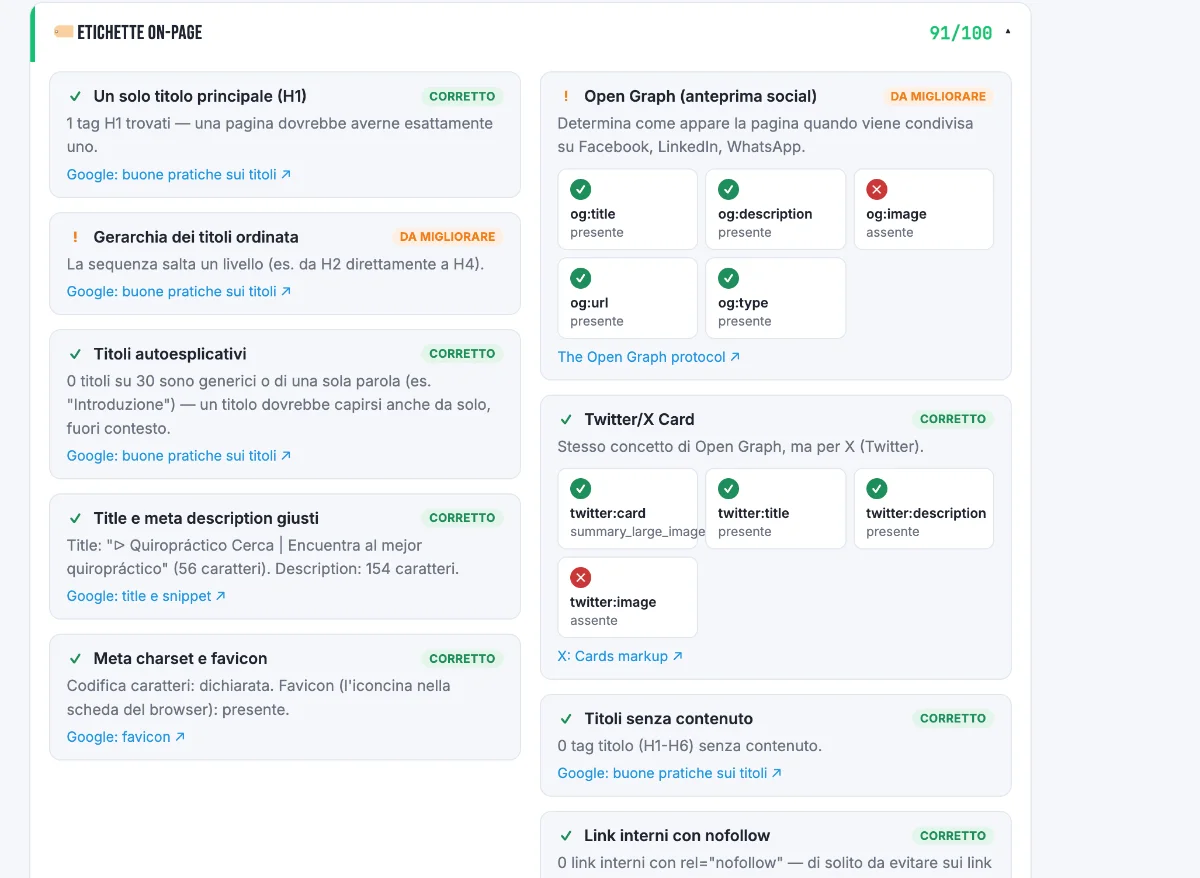
The On-page labels category of our free audit checks titles, meta descriptions, headings, Open Graph and other elements. If you’re launching a new site, you’ll find the same checks in order in the SEO checklist for launching a new website.
FAQ
How long should a title tag be?
There’s no fixed limit: Google truncates titles based on pixel width, usually around 60 characters. Put the important words first.
That way they stay visible even if the title gets cut. The same reasoning applies to the meta description, with a wider margin, usually between 120 and 160 characters.
Does Google rewrite titles and meta descriptions?
Sometimes, yes. Google may show a title or description different from the ones you wrote if it thinks the page text answers the search better.
Writing them well still pays off: when they’re clear and consistent with the content, Google uses them more often. It’s not a reason to leave them empty.
Does fixing these mistakes guarantee a first-page ranking?
No. It removes concrete obstacles, but rankings depend on many other factors, such as competition and content quality.
It’s more about removing dead weight than adding magic: a corrected page is more likely to perform as well as it deserves, not sure to appear first.
Can a page have more than one H1?
Technically HTML allows it and, according to Google’s public guidance, it isn’t a ranking problem. A single H1 is still the clearest choice.
One main heading makes the structure easier to follow for readers, screen readers and search engines. If your theme outputs more than one, check the page template.
How do I find these mistakes across a whole site?
Our free audit analyzes one page at a time. To check the entire site you need a crawler, such as Screaming Frog, which scans the pages and lists them with their problems.
Start with your most important pages and repeat the check after every change, so you can see right away whether a mistake is fixed or a new one has appeared.
This article is for informational purposes. SEO results depend on many factors and timelines vary by site.