
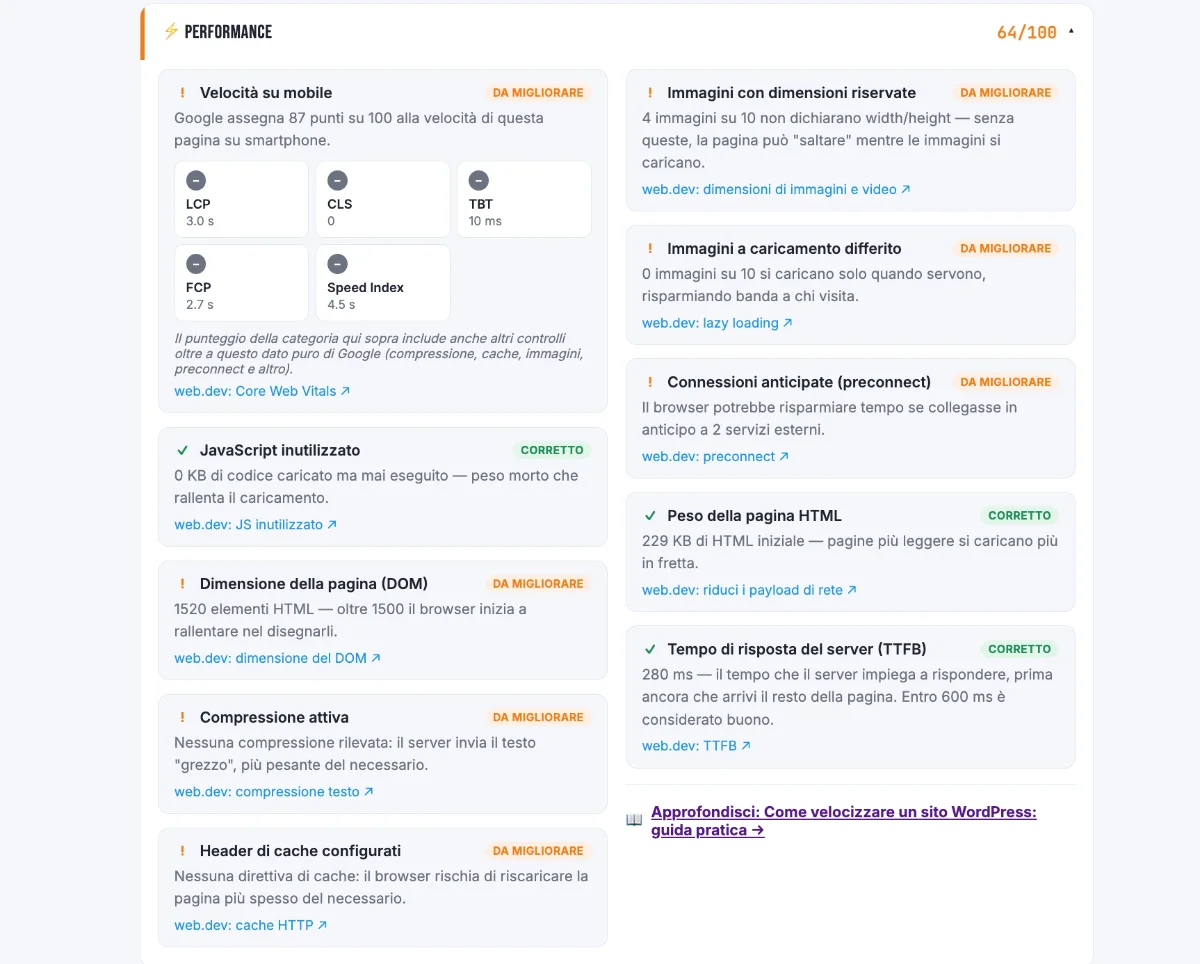
A slow WordPress site loses visitors and ground in search results: speed feeds into Core Web Vitals, which Google uses as a page experience signal. Most slowdowns come from a few well-known causes and can be fixed without writing code.
To speed up a WordPress site, start with the changes that pay off most and leave the fine-tuning for later. There are five.
Five fixes, in typical order of payoff
- Caching A cache plugin (WP Rocket, W3 Total Cache or the one your host offers) saves a ready-made copy of each page and serves it to later visitors, instead of rebuilding it from the database every time. It’s usually the fix that pays off most for the least effort.
- Images A smartphone photo can weigh several megabytes. Resize and compress it before uploading, or use a plugin such as Smush or ShortPixel that does it automatically and converts to WebP. Since version 5.5, WordPress already lazy-loads images.
- Plugins The weight of each plugin matters more than the total count. Remove the ones you don’t use and replace those that load scripts and styles on pages where they aren’t needed.
- Theme “All-in-one” themes with built-in page builders load a lot of code your site never uses. A lightweight theme starts from a faster base, whatever optimization you add later.
- Hosting An overloaded server shared with hundreds of other sites limits every optimization. Also check that your site runs a recent version of PHP, which is usually faster.
Measure before and after
Run a PageSpeed Insights test before each fix and repeat it afterwards, changing one thing at a time, so you can see what really worked. Look mainly at LCP, CLS and INP, the Core Web Vitals, rather than the overall score. If you’re not sure how to read the results, our guide to the Google Lighthouse score helps.
FAQ
What is a good load time for a WordPress site?
There isn’t a single number: Google evaluates Core Web Vitals, and for the main content the “good” threshold is an LCP within 2.5 seconds.
The thresholds are LCP within 2.5 seconds, INP within 200 milliseconds and CLS within 0.1, measured on real visitor data. A page can take longer to finish loading and still be in the green, as long as its main content appears early.
Can a cache plugin break my site?
Rarely, but it can happen with outdated themes or plugins. After turning it on, check your main pages before calling the job done.
Also test the cart, contact forms and members area, both logged in and as a visitor. If a page misbehaves, exclude it from the cache in the plugin settings.
Do I need to change hosting to have a fast site?
Not always: caching, images and plugins are often enough. Hosting becomes the deciding factor when everything else is in order and the site is still slow.
The signal is server response time: if it stays high even with caching on, the server is the limit. Our free audit measures it (TTFB) and flags anything above 600 milliseconds.
How many plugins are too many?
There’s no magic number: what counts is the weight of each plugin. Thirty light plugins can slow a site less than five heavy ones.
To find the heavy ones, deactivate them one at a time and repeat the PageSpeed Insights test. A plugin such as Query Monitor shows which ones load the most resources, but use it only for analysis and then deactivate it.
Are WebP images really worth it?
Yes: at the same quality, a WebP image weighs less than a JPEG or PNG, so the page loads sooner.
WordPress has supported the format since version 5.8 and all current browsers can display it. Optimization plugins can convert images you’ve already uploaded, so you don’t have to redo them by hand.
This article is for informational purposes. SEO results depend on many factors and timelines vary by site.